A post on your Google Business Profile has a shelf life, and most tree companies let it lapse without noticing. These tree service GMB posts ideas are built around that fact: Google archives posts older than six months unless you set a date range, so a profile needs a steady supply of fresh, specific posts rather than one burst of effort.
What follows is a set of ideas matched to the post types Google actually gives you, to the seasons that bring tree work in, and to the rules that get a post rejected.
The three post types and what each one is for
Google's own help page describes three post types: Update, Offer and Event. An Update shares business news with a photo or video and a button, an Offer promotes a deal and automatically gets a "View Offer" button, and an Event promotes something happening at a set time.
Each one suits different tree work, and mixing them is more useful than posting the same type every time.
| Post type | What Google requires | How long it lasts | Good tree service use |
|---|---|---|---|
| Update | Description, photo or video, optional button | Archived after 6 months unless you set a date range | A finished job, a crew photo, a seasonal reminder |
| Offer | Title, start and end dates and times | Up to 12 months from the start date, per BrightLocal's guide to Google Posts | Free estimates, a fall cleanup package |
| Event | Title, start and end dates and times | Shows as 24 hours on its dates if no times are set | A free tree-health walk-through day |
The Google Business Profile help page on posts also says you can schedule posts ahead or set them to repeat weekly, monthly or on a custom schedule. That matters for a crew that is out on a job all day.
Update post ideas built from real jobs
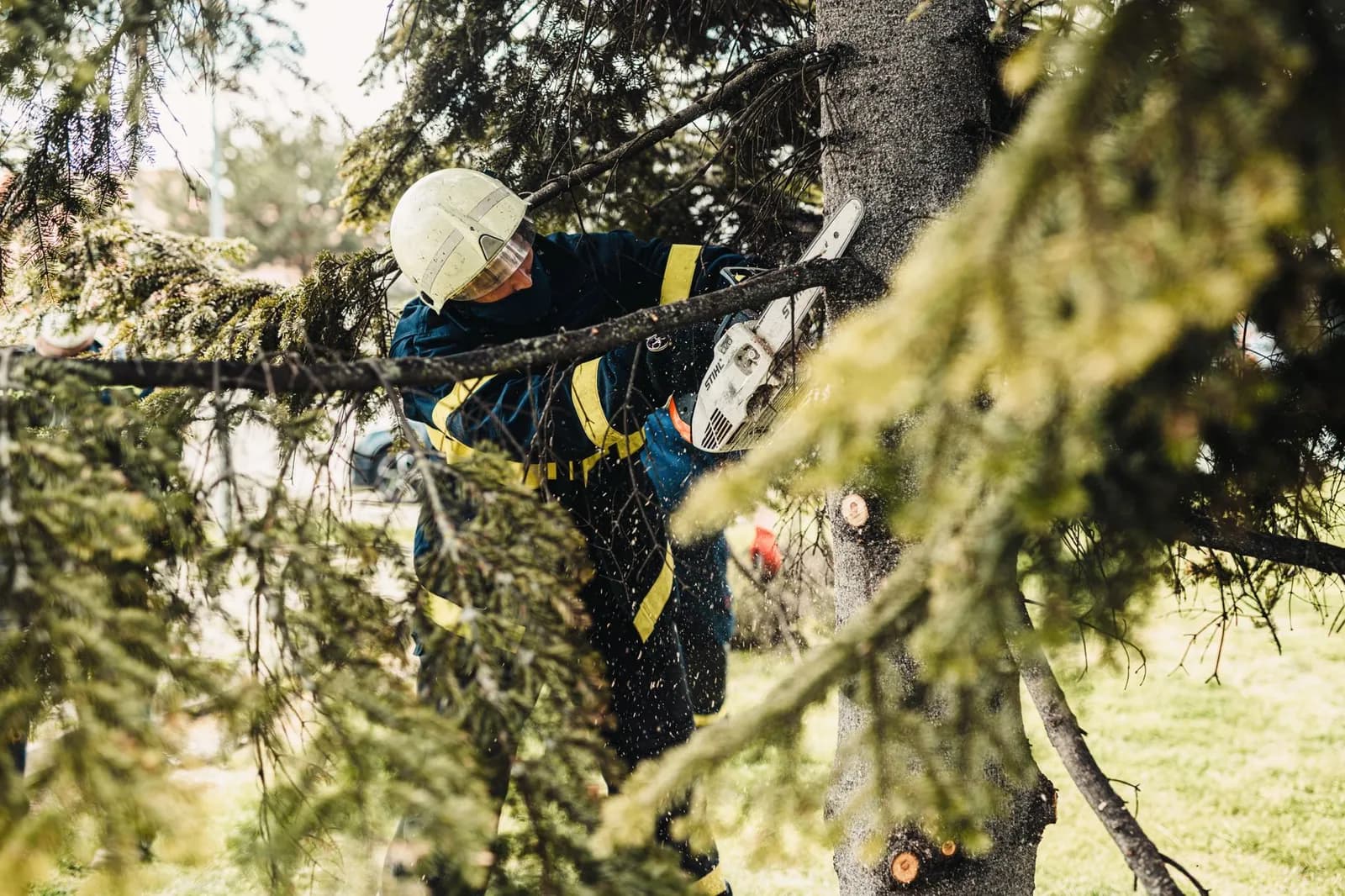
Photos of actual work are the strongest raw material you have, and an Update post is where they belong. Post a finished removal with a two-line description of what the tree was and why it came down.
Before and after pairs work especially well, and we've covered how to turn before and after photos into marketing content in more detail. Shoot them from the same angle in the same light so the change is obvious without a caption.
Other Update ideas come straight from a normal week:
- A crew photo with the name of the neighborhood you worked in that day.
- A short clip of a stump grinder or a crane lift, kept within the 30-second video limit BrightLocal reports.
- A "what we found" post about a diseased branch or a cracked trunk, and what you recommended.
- A new certification, piece of equipment or service you've added.
Keep each one specific to a real area and a real tree species. Text like "call us for all your tree needs" tells a homeowner nothing, and Google's content policy lists text that adds no value among the things it rejects.
Offer posts that give a reason to call this week
An Offer post needs a start and an end date, which forces the useful discipline of attaching a deadline to a promotion. Free estimates are the obvious candidate, but a defined package works better because it tells the reader exactly what they'd get.
A late-fall hazard check, a spring pruning slot or a storm-prep inspection all fit. Put the offer in the title, the terms in the description, and a link to the matching service page rather than your homepage.
BrightLocal's guide suggests keeping one, or ideally two, valid offers running at any time. It also relays an analysis of 1,000 posts by Joy Hawkins of Sterling Sky, in which Offer posts drew more clicks than Event or Update posts and posts with urgency or a discount did better. The page gives no date for that analysis, so treat it as a direction rather than a promise.
Seasonal tree service GMB posts ideas by time of year
Tree work follows the calendar, and your posts should too. Six windows organize most of the year: late winter and early spring pruning, late spring health inspections, summer storm preparation, early fall cleanup, late fall and early winter hazard checks, and post-storm cleanup.
Each window can carry one Offer and a few Updates. A summer storm-prep post, for instance, can explain how to spot a weak branch hanging over a roof, then offer an inspection.
Because Google archives anything older than six months, a post about spring pruning will quietly disappear by the time fall arrives. Plan the whole year at once and schedule it in a single sitting.
A calendar this regular also ties into the rest of your local presence. Our guide to tree service local SEO covers the other pages that should say the same things your posts do.
Storm response posts and the trust problem
After a storm, a post that says you're taking same-day estimates and documenting damage can reach homeowners at the moment they need someone. Write it as an Update with a clear phone number and a photo of your own truck or crew.
This is also where the trade has an image problem to overcome. N.C. Cooperative Extension's guidance on choosing a tree care company after a disaster warns about door-to-door solicitors without identification, and says an uninsured company can leave homeowners financially responsible if a worker is hurt on their property.
You can answer those worries before anyone asks. Post your insurance, your ISA certification if you hold it, and the fact that your trucks and crews are identifiable. The extension article on choosing a tree care company after a storm tells homeowners to ask for a certificate of insurance and to check certification on the ISA's Find an Arborist tool, so a post that anticipates both does the buyer's checking for them.
One caution from Google's policy page: phone numbers in a description that can't be verified as belonging to your business may get the post rejected. Use the number on your profile.
Event posts for a business with a crew schedule

Photo by BEIGE MEDIA on Pexels
Event posts suit tree companies less often than Updates or Offers, but they have a place. A free tree-health walk-through day for a neighborhood, a community planting afternoon or a talk on seasonal care gives you something with a real date.
Give the event real start and end times. Without them, Google shows it as lasting 24 hours on its dates, which can make a Saturday morning event look like an all-day affair.
BrightLocal notes that Event posts don't fill the separate Events section of a profile, so don't count on that section to carry them.
How to write and format each post
BrightLocal reports that up to 300 words are allowed in a post, while Ben Fisher of Steady Demand recommends 80 to 100. The first line is what shows in a preview, so lead with the tree, the place and the action.
For images, BrightLocal gives JPG or PNG files between 10KB and 5MB, with 720 x 720 pixels recommended. It also cites Sterling Sky's finding that posts with non-stock images got 5.6 times more clicks, again undated, which is a good reason to use your own crew photos.
Posts with text on the image also performed better in the same analysis. A short line such as "Oak removal, free estimates through October 31" over the photo is enough.
Two habits to avoid. Don't repeat the same post every week, which BrightLocal advises against, and don't use auto-generated filler, which Google's policy page lists among rejected content. A post marked Not approved doesn't appear on Search or Maps at all.
A posting rhythm a busy crew can keep
BrightLocal suggests an Update roughly every couple of weeks, offers kept live continuously, and events added as they're scheduled. For a company with crews in the field, that's a realistic load: half an hour every other week to pick the best photos from the job log.
Desktop viewers see only the 10 most recent posts in the carousel, so a long gap pushes your best work out of sight.
Grab photos at the end of each job while they're still on a phone, then schedule a batch. If you'd rather have posting tied into the rest of your marketing than run it as a chore, that's the kind of work our digital marketing and growth services cover.
Tracking matters too. When we built TAINC's platform, we put lead capture, crew scheduling, AI-assisted proposals and billing in one dashboard, and you can read how it came together in the TAINC case study. Whatever you use, add a tracking tag to the link on each post so you can see which one produced the call.
Posts work best on a profile that's otherwise complete. Our breakdown of what to optimize on a tree service Google Business Profile covers services, photos and reviews.
Frequently asked questions
How often should a tree service post on Google Business Profile?
BrightLocal suggests an Update roughly every couple of weeks, with one or two Offers running at all times and Events added as they come up. Consistency matters more than volume, since posts are archived after six months.
Do Google Business Profile posts expire?
Yes. Google archives posts older than six months unless you set a date range. Offers can run up to 12 months from their start date, and an Event with no set times shows as 24 hours long.
Why was my post not approved?
Google reviews every post against its content policy. Misspelled words, text that adds no value, auto-generated content and unverifiable phone numbers can all lead to rejection, and a Not approved post doesn't appear on Search or Maps.
Can I schedule posts in advance?
Yes. Google lets you schedule a post for a future date or set it to repeat weekly, monthly or on a custom schedule.
Cover photo by Connor Scott McManus on Pexels
Sources
- Add posts to your Business Profile — Google Business Profile Help
- Google Posts — BrightLocal