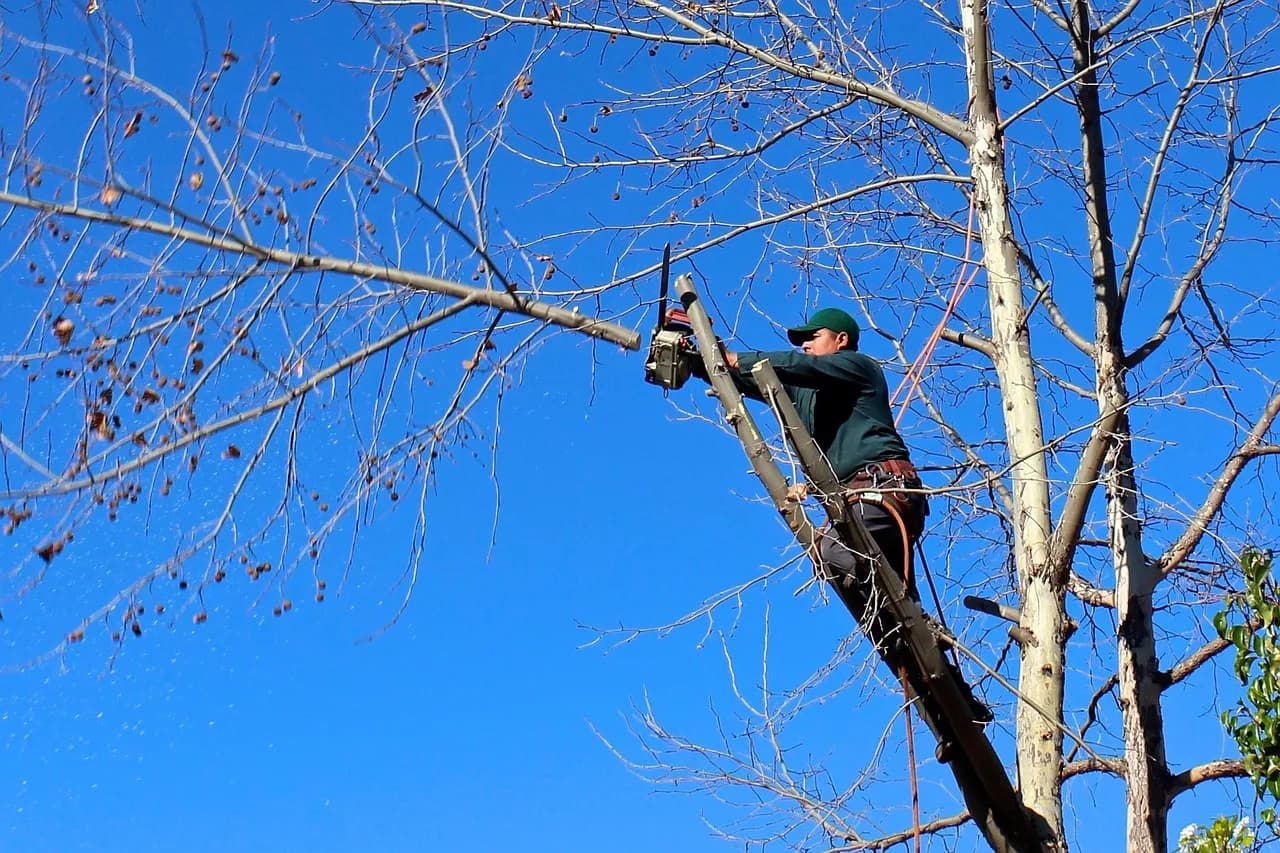
Every finished tree job leaves two pictures waiting to be taken, and most of them never leave the crew's phones. A leaning oak over a roofline on Monday and a clear sky and raked lawn on Tuesday say more to a homeowner than a paragraph about insurance and certifications. Tree service before and after content is that proof, packaged so strangers can see it before they ever call.
What follows covers how to shoot it, what to leave out, where it should live and how to make sure the people who watch it become jobs on the schedule.
Why homeowners trust a photo more than a quote
A quote asks the homeowner to imagine the result. A matched pair of photos shows it, on a property that looks like theirs, done by the crew they'd be hiring.
Tree work is also hard to judge from the ground. Few people can tell good pruning from bad until they see the finished canopy, which makes visible proof worth more here than in trades where the result is easy to describe.
There's a second payoff. Each pair is a small case study you didn't have to write, and it can be reused on a profile, a service page and a social post without anyone re-shooting a thing.
Our own tree service marketing ideas piece covers the wider mix of channels. This one stays on the photos.
How to shoot matched before-and-after photos
Take both photos from the same position, height, direction and zoom level. A contractor playbook published in August 2026 adds that the before shot must be taken before any work begins, and the after shot from the identical spot once cleanup is done.
The same playbook suggests including a recognisable reference point, such as a fence post or a chimney, so a viewer can confirm both frames show the same area.
A routine a crew can follow without thinking:
- Before touching a saw, stand where the whole tree and the structure beside it are in frame, and take the shot.
- Note where you stood: a mark on the driveway or a landmark in the background will do.
- Finish the job, including cleanup, before taking the second photo.
- Return to the same spot, match the height and zoom, and shoot again.
Wide frames beat close-ups. A tight shot of a stump proves little, while a frame with the house, the yard and the missing tree proves the whole job.
Get permission and protect the customer's privacy
Ask for written permission before you publish a customer's property. The playbook recommends removing faces, street addresses, vehicle plates, keys, security equipment and personal belongings from every frame.
Its test is a good one: the before image should explain the work without embarrassing the customer. A yard full of clutter or a visible alarm panel fails that test, however dramatic the result.
Build the permission request into the invoice or the job-complete message so it happens every time. Asking at that moment, with the customer pleased about the cleared yard, is easier than chasing consent weeks later.
Keep edits honest, because Google asks for it
Google's own rules for Business Profile images say they should be "in focus and well lit, and have no significant alterations or excessive use of filters." That's stated in Google's photo and video guidelines for Business Profiles, and it applies to the very photos this article is about.
The playbook draws the line clearly. Normal exposure and white-balance corrections are fine. Erasing defects, adding work that wasn't done, swapping the surroundings or generating images are not.
Beyond policy, there's a practical reason to stay strict. A before-and-after pair that looks too good invites suspicion, and one doctored photo undoes the trust the other fifty built.
Where to publish tree service before and after content
Put it first on your Google Business Profile and your own website, because that's where people comparing local companies end up. Social posts are a useful third home, but the first two are where a stranger decides whether to call.
Google Business Profile
Google accepts photos in JPG or PNG, between 10 KB and 5 MB. Square is the recommended shape, with a stated minimum and a larger recommended size, both shown below.
| Requirement | Value | What it means for your photos |
|---|---|---|
| Format | JPG or PNG | Export phone photos in a supported format before uploading |
| File size | 10 KB to 5 MB | Full-resolution phone shots usually fit, but check large batches |
| Minimum size | 250 x 250 pixels | Below this, Google won't take the photo |
| Recommended size | 720 x 720 pixels | Frame wide shots so they still read when cropped square |
If you're still setting the profile up, our guide to what to optimise on a tree service Google Business Profile covers the rest of the page around the photos.
Your website
On your own site, put each pair on the service page it belongs to, next to the text describing that service. Google's image guidance says to place images near relevant text, on pages relevant to the image's subject.
The same guidance calls descriptive alt text the most important attribute for giving an image metadata. It also prefers short, descriptive filenames: it says my-new-black-kitten.jpg beats IMG00023.JPG.
For a tree company, that means a file called oak-removal-before.jpg rather than IMG_4471.jpg, with alt text describing what the picture shows. Use standard image elements rather than CSS background images, which the same page says to avoid.
A gallery buried on a single page does less than pairs placed where visitors are already reading about removal or pruning. If your site doesn't have room for them, our notes on tree service website design show how the pages are usually laid out.
Write captions that carry the story

Photo by https://kaboompics.com/ on Pexels
A bare pair of photos leaves the viewer guessing. The playbook proposes a factual pattern for each caption: starting condition, service performed, visible result, and any important limitation.
The limitation is the part most companies skip. If some discolouration remains or the outcome depends on the property, say so in a line. That candour makes every other claim in the caption easier to believe.
Keep location in the caption too, at the neighbourhood level rather than a street address, which also fits the privacy rule above.
Turning viewers into booked jobs
Photos get the phone to ring, and what happens next decides whether the call becomes a job. A slow reply wastes the work, and a crew that's up a tree can't pick up the phone.
When we built the platform for TAINC, the Tree Associate Incorporation, we designed and built it end to end around exactly that gap. It puts lead capture, crew scheduling, AI-assisted proposals and billing into one dashboard, so an enquiry that arrives from a photo post doesn't sit waiting for a manual reply.
You don't need our platform to apply the lesson. Whatever you use, decide who answers an enquiry that comes from a post, how fast, and where the lead is recorded, so that you can see which photos actually produce work.
If you'd like help planning the content side as well, our digital marketing and growth team works on this kind of local visibility.
Making it a habit across crews
A photo routine that depends on everyone remembering will lapse. Give one person ownership of collecting the photos, checking them against the privacy rules and posting them.
Make the routine part of closing out a job. If the job isn't marked complete until the after photo is uploaded, the habit holds without anybody having to remember it.
Start with the next five jobs. Shoot them properly, get permission, caption them honestly, and publish each one on the profile and the matching service page before taking on anything more elaborate.
Frequently asked questions
How long do photos take to appear on a Google Business Profile?
Photos typically appear within 24 to 48 hours of upload, pending review. The profile has to be verified before any media shows publicly.
Can I add video as well as photos?
Yes. Google's Business Profile limits are 30 seconds per video, 75 MB per file and a resolution of 720p or higher.
Can I use WebP or AVIF images on my own website?
Yes. Google Search supports BMP, GIF, JPEG, PNG, WebP, SVG and AVIF on web pages. The JPG or PNG limit applies to Business Profile uploads only.
Sources
- Photo and video guidelines — Google Business Profile Help
- Google Images SEO best practices — Google Search Central