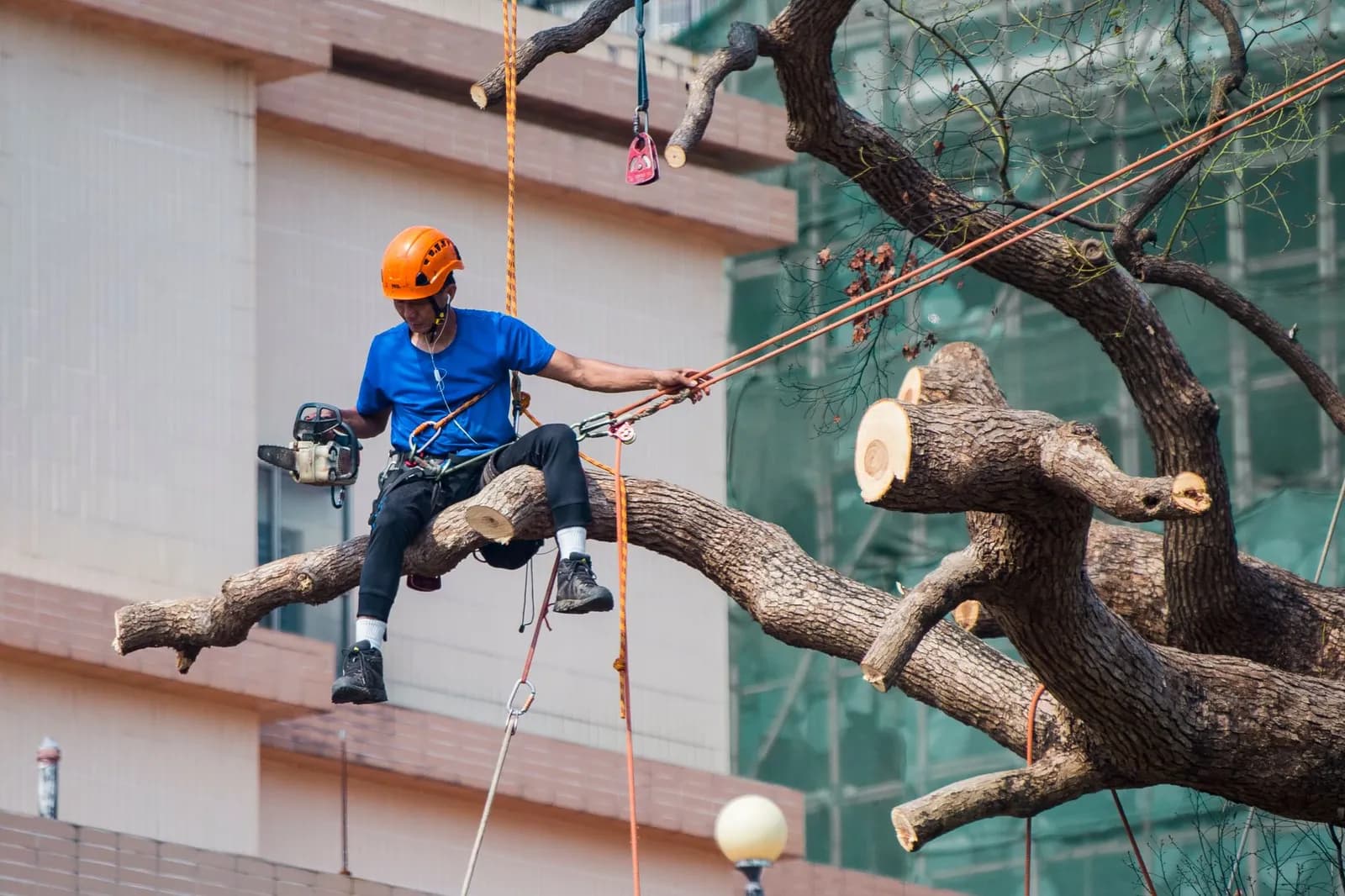
Follow-up usually breaks down before an estimate is even written. In a Clay experiment published on September 22, 2026, an agent submitted 6,346 contact forms to B2B companies, and about two-thirds never replied by email. Nearly all of them never called, either.
Those were software and services firms, not arborists, and Clay notes that some of the silence may reflect suspicion of a bot. It still shows how low the bar is for tree service customer follow-up, and how much room a prompt, personal reply leaves you.
Tree service customer follow-up starts with the first reply
Answer every new inquiry the same day and say what happens next. A short call or text that confirms the request, names the day someone will look at the property and asks one question about the trees is enough. It tells the customer the request landed with a real person.
A 2011 Harvard Business Review article on online sales leads, by James Oldroyd, Kristina McElheran and David Elkington, put its finding plainly: "Our research shows that most companies are not responding nearly fast enough." The page gives no figures, so take it as a direction rather than a benchmark.
Clay's experiment adds a useful detail about automation. Almost every automated first reply it received was generic, while most of the replies written by a person were personalized. An automatic text is fine as a receipt for the request, but it can't carry the relationship.
Slow manual response was one of the problems behind the platform we built for TAINC, along with untracked marketing spend and no automated follow-up system. We designed and built it end to end, and it puts lead capture, crew scheduling, AI-assisted proposals and billing in one dashboard.
What to do after the estimate goes out
The estimate is where most tree jobs quietly die. The customer says they'll think about it, you say you'll be in touch, and nobody sets a date.
Fix that before you leave the driveway. Tell the customer when you'll check back, then write it down where the whole office can see it. A follow-up with a date on it gets done, and one that lives in somebody's memory gets skipped the week the crews are busy.
Keep the check-in short. One question works better than a summary of the quote: whether they have questions about the scope, or whether the timing is still right. People ignore a message that reads like a second sales pitch and answer one that reads like a neighbour asking.
If the customer goes quiet, send one final message that makes it easy to say no. Something like "I'll close this estimate out unless you'd like to adjust anything" gives a hesitant buyer a reason to reply and gives you a clean pipeline.
Mason Brandenberger, founder of Brandenberger Tree Care Professionals and an ISA Certified Arborist, recommends tracking these touches in a CRM. In his September 2024 article in TCI Magazine, based on a session at TCI EXPO '23, he says a CRM keeps a record of every interaction and lets you personalize what you send next.
The reminders themselves are the part worth automating. Our guide to automation workflows for tree service businesses covers how to trigger them from a quote status instead of from memory.
Checking in after the job is done
Contact the customer once the work is finished and ask whether it met their expectations. It's one of Brandenberger's follow-up habits, and it takes a few minutes and costs nothing but the call.
Ask what went well and what could be better. The answers give you a free read on your crews.
Say thank you in a way that takes effort. His article suggests a handwritten note, a follow-up call or a small token of appreciation. In a trade where most work is a one-off visit from a stranger with a chainsaw, a handwritten note stands out precisely because it's rare.
When something went wrong
Brandenberger's advice on mistakes is blunt. A customer's perception that you dropped the ball is what matters, whether or not you were at fault, so take ownership and use the conversation to strengthen the relationship.
That means calling instead of waiting for a review to appear. A problem you hear about from the customer is a repair job. A problem you read about in public is a reputation job.
Following up again months later
The same article recommends checking in well after the work is complete to ask how the trees are doing. Trees change over a season, and a message at that point shows you care about the result rather than the invoice.
It also gives the customer a natural moment to mention the neighbour's trees, the second property or the dead branch they hadn't wanted to bother you about.
Turning one job into a yearly relationship
Photo by Anna Tarazevich on Pexels
Arborist Now, a San Francisco tree care company, recommends annual inspections to keep trees healthy and head off bigger problems, and offers customers a yearly maintenance plan with scheduled visits.
Notice what that does for follow-up: the next contact is already on the calendar. Deadwood and safety pruning can be done year-round, according to the same page, while structural pruning is usually scheduled by season, so there is always a reason to be in touch.
Email carries a lot of this load because the messages are cheap to send and easy to time. We cover what to send and when in our post on email marketing for tree services.
Where automation helps and where it shouldn't
Automate the parts that are about timing: the receipt for a new inquiry, the reminder that an estimate is still open, the nudge to book next season's pruning. These messages are predictable, and a missed one costs you a job.
Keep a person on the parts that are about judgement. A complaint, a hesitant homeowner with a big removal quote and a long-standing customer all deserve a real call. Clay's data on generic automated replies is the warning here: if every message reads like a template, customers treat all of them as noise.
Connecting the quoting, scheduling and messaging tools so a status change triggers the right message is what our AI and automation work is for.
Start with one trigger. Pick the estimate-sent status, write a single reminder in your own voice, and have it go out on the date you promised.
Frequently asked questions
Do I need a CRM to follow up with tree service customers?
You need somewhere that records every interaction and who owes the next one. Brandenberger recommends a CRM for exactly that, because it also lets you personalize later messages. A shared spreadsheet is a start, but it won't remind anyone.
How soon after a job should I contact the customer?
Our sources don't give a precise window. Brandenberger's advice is to check in after the job to confirm expectations were met, and again months later. Sooner is better for the first call, while the work is still fresh to the customer.
What should I do if a customer is unhappy?
Call them, own the problem and fix it. Brandenberger argues that the customer's perception that you dropped the ball is what counts, whether or not you were actually at fault.