









Most tree service schema markup problems come down to one of three mistakes: the wrong business type, an address the page never shows, or star ratings Google won't display. Each one is avoidable once you know what Google's own documentation asks for.
This guide walks through the markup a tree company actually needs, field by field, and flags what to skip. Everything below comes from Google's and Schema.org's published documentation, read in October 2026.
What schema markup does for a tree service website
Schema markup is structured data, a block of code on your page that states plainly who you are, where you are and how to contact you. Search engines then don't have to infer your phone number or hours from page text.
It comes with a limit worth knowing up front.
Google states that it "does not guarantee that your structured data will show up in search results," and valid markup only makes a page eligible for a feature. Treat it as housekeeping that makes your details unambiguous, not as a ranking lever.
Google's general structured data guidelines recommend JSON-LD over Microdata and RDFa. They also set the rule everything else rests on: mark up only content that readers can see on the page.
Which schema type fits a tree service company
Use LocalBusiness. Schema.org has no tree service type, and Google's documentation asks for the most specific LocalBusiness subtype available, so the only question is whether a closer one exists.
Under HomeAndConstructionBusiness, the listed subtypes are Electrician, GeneralContractor, HVACBusiness, HousePainter, Locksmith, MovingCompany, Plumber and RoofingContractor. None describes arborists or tree removal.
Picking GeneralContractor or RoofingContractor to get closer is a bad trade. It states something untrue about your business, and the accuracy rule above applies to types as much as to text. Plain LocalBusiness is correct.
If you ever need to declare more than one type, Google's page says to list them in an array, and it adds that additionalType isn't supported. Most tree companies will never need either, which keeps the markup short and easy to maintain.
The properties to fill in
Google's LocalBusiness documentation requires only two properties: name and address. Everything else is recommended, and for a tree company a handful are worth the effort.
| Property | Status | What to put in it |
|---|---|---|
| name | Required | Your business name, spelled as it appears on the page |
| address | Required | A PostalAddress with as many sub-properties as you can fill |
| telephone | Recommended | Include the country and area code |
| url | Recommended | A working link to the page |
| openingHoursSpecification | Recommended | Regular hours; use validFrom and validThrough for seasonal closures |
| geo | Recommended | Latitude and longitude to at least 5 decimal places |
| priceRange | Recommended | A short text value; Google won't show one of 100 characters or more |
Emergency storm work complicates the hours field. Google's page covers 24-hour operation (00:00 to 23:59) and closing times past midnight, so a crew that takes after-hours calls can say so accurately instead of leaving the field blank.
Skip properties you can't fill honestly. A half-true value does more harm than a missing one.
Marking up service areas and multiple locations
Tree crews drive to customers, so where you work matters more than where the office is. Schema.org's areaServed property exists for this and is defined as "the geographic area where a service or offered item is provided." It accepts text, a place, an administrative area or a shape.
Google's LocalBusiness page doesn't say how to handle a business with no public address, and I'd rather not guess on its behalf. The safe reading comes from the visible-content rule: mark up the address your page already shows, and no other.
If you run yards in two towns, Google says each location is defined as its own LocalBusiness. A town you merely drive to is different. Those belong in areaServed on your one business, which is my reading of the two definitions rather than anything Google states about tree work.
The review rule that catches local companies out

Photo by Володимир Король on Pexels
Don't mark up the five-star reviews you've collected about your own company and expect stars in search. Google's review snippet guidelines make pages using LocalBusiness markup ineligible for the star feature when the business controls the reviews about itself.
That covers reviews written into the markup and reviews arriving through an embedded widget, including Google Business or Facebook widgets. The same page forbids aggregating ratings from other websites and marking up review text that visitors can't see on the page.
It's a common temptation, because tree service customers leave plenty of reviews and a row of stars looks like an easy win. Showing the reviews on the page as ordinary content is fine. Wrapping them in markup for stars is where the trouble starts, and violations may lead to a manual action.
Should you still add FAQ schema?
No. Google's documentation records that FAQ rich results stopped appearing in Google Search from May 7, 2026, and since September 2023 the feature had been limited to well-known government and health sites.
A good FAQ section on the page is still worth writing for readers. The code behind it no longer earns a special result.
How to add and test the markup
You can generate the JSON-LD with JavaScript or a CMS plugin, according to Google's page, so a developer isn't mandatory. The steps below follow the testing sequence Google describes.
- Write the JSON-LD for your business and place it in a script tag on the page it describes, usually the homepage or a contact page.
- Check it in the Rich Results Test and fix every critical error.
- Publish, then inspect the live page with the URL Inspection tool to confirm it isn't blocked by robots.txt, noindex or a login.
- Request a recrawl and submit a sitemap.
- Allow several days for Google to find and index the changes, then check Search Console for structured data errors.
The markup sits on the public site, so it belongs in the same job as the page work in our tree service website design tips. Clean markup on a slow, confusing page doesn't turn visits into calls.
If your site is being rebuilt anyway, ask for the markup to be included in the web build instead of bolted on afterwards. For the wider picture of where calls come from, tree service marketing ideas that bring in jobs covers what to do beyond the site.
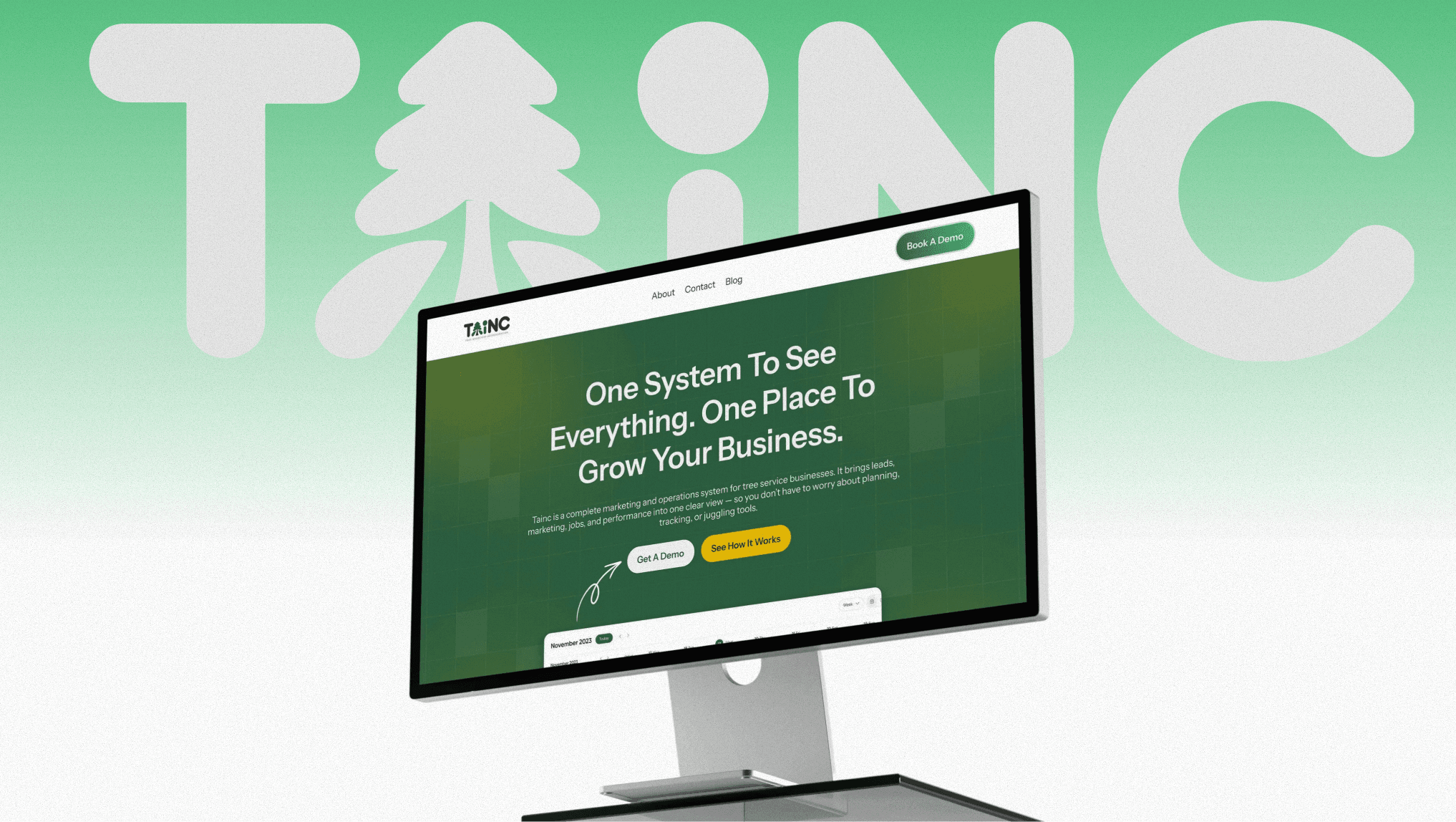
Search visibility is one layer. When we built the TAINC platform for tree service businesses, it combined lead capture, crew scheduling, AI-assisted proposals and billing in one dashboard.
Frequently asked questions
Do I need a developer to add schema markup?
Not necessarily. Google's LocalBusiness documentation says markup can be generated with JavaScript or through a CMS plugin, so the main requirement is being able to place and test the JSON-LD on your pages.
How long until Google picks up new markup?
Google's documentation says to request a recrawl and allow several days for the pages to be found and indexed. Search Console's structured data report will show errors once it has.
Does valid markup guarantee a rich result?
No. Google says it doesn't guarantee structured data will show up in search results, and its algorithm chooses the most suitable result type for each query.
Can I use RoofingContractor if it's the closest match?
I wouldn't. It describes a different trade, and Google asks that markup accurately represents the page. LocalBusiness is the honest type for tree work.
Cover photo by Stepan Vrany on Pexels
Sources
- Local business (LocalBusiness) structured data — Google Search Central
- General structured data guidelines — Google Search Central