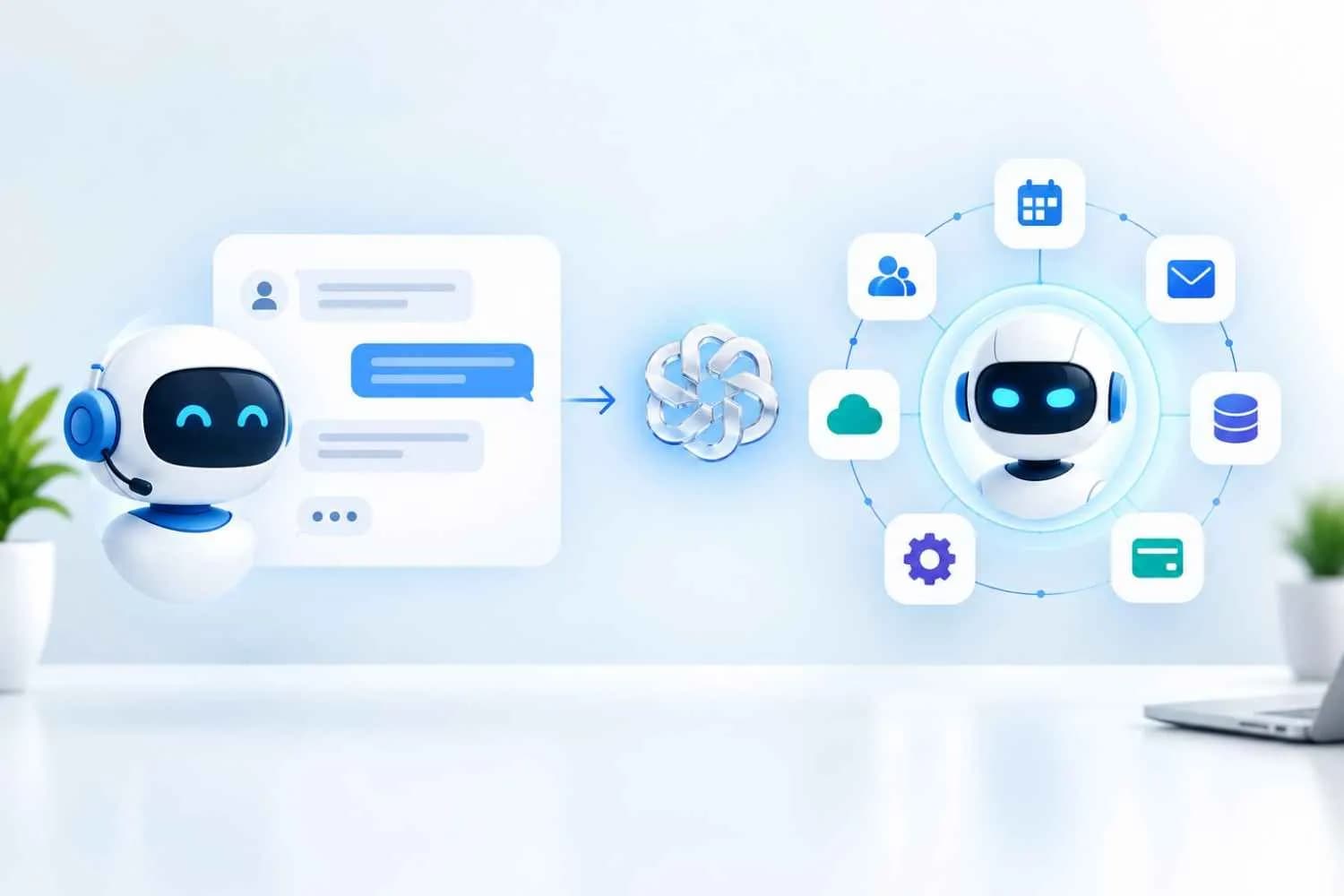
A chatbot holds a conversation and returns information, usually inside a single chat window. An AI agent takes a goal, plans the steps, uses tools such as your CRM, calendar or payment system, and completes the task with little or no hand-holding.
That one difference changes everything downstream: what each can do for customers, what it costs to build, and how much oversight it needs. Most growing businesses end up using both. The useful question is which jobs need a reply and which jobs need an outcome.
This guide explains both technologies in plain language, compares them side by side, and gives you a simple way to decide where to invest first.
What is a chatbot?
A chatbot is software that talks with people through text or voice and responds to what they ask. It waits for a message, produces a reply, and waits again. The conversation is the product.
There are two main kinds.
Rule-based chatbots follow a script. They match keywords or button clicks to prewritten answers. They are predictable and cheap, but they break as soon as a customer asks something outside the script.
AI chatbots use a large language model to understand natural language and write original replies. They handle messy, real-world questions far better and can draw on your help docs, product pages or policies to answer accurately.
What chatbots do well
Answer common questions at any hour, such as pricing, opening times, shipping and returns
Guide visitors to the right page, product or form
Capture contact details and pass them to your team
Reduce the volume of simple tickets reaching human staff
Where chatbots stop
A chatbot informs. It does not finish the job. If a customer wants to reschedule a booking, a typical chatbot explains how to do it or hands the conversation to a person. It does not open the calendar, find a free slot, move the appointment and send the confirmation. Each reply also depends on the customer sending the next message, so nothing happens between turns.
What is an AI agent?
An AI agent is a system that pursues a goal on your behalf. You give it an objective, and it decides which steps to take, which tools to use, and when the work is done.
Anthropic draws the line clearly in its guide to building effective agents. Workflows follow code paths a developer defined in advance. Agents are systems where the model directs its own process and tool use as it goes.
How an AI agent works
Most agents run a simple loop.
Understand the goal. For example: "Qualify this new lead and book a discovery call."
Plan. Break the goal into steps and choose the order.
Act. Call tools: look up the contact in the CRM, check the calendar, send an email, update a record.
Check the result. Read what came back and decide whether the step worked.
Repeat or finish. Continue until the goal is met, or hand off to a human when it gets stuck.
What AI agents do well
Complete multi-step tasks from start to finish, across several systems
Work without a person prompting each step, including on a schedule or when an event fires
Adapt when something unexpected happens, such as a full calendar or a missing field
Take real actions: create records, issue refunds within policy, send follow-ups, generate reports
Where AI agents need care
Autonomy cuts both ways. An agent that can act can also act wrongly. It needs clear permissions, testing against real scenarios, and a human checkpoint for anything costly or irreversible. It also costs more to build and run than a chatbot, because it connects to more systems and uses more model calls per task.
AI agents vs chatbots: key differences at a glance
The core difference between an AI agent and a chatbot is autonomy. A chatbot responds to each message. An AI agent works toward a goal and takes actions in other systems to reach it.
Factor | Chatbot | AI agent |
Core job | Answer questions | Complete tasks |
What starts it | A user message | A user message, a schedule, or an event such as a new lead |
Autonomy | Low: one reply per prompt | High: plans and runs multiple steps on its own |
Tools and systems | Usually reads a knowledge base | Reads and writes to CRM, calendar, email, payments, databases |
Multi-step work | Limited to guided scripts | Built for it |
Memory | Often limited to the current chat | Can keep context across steps and sessions |
Setup effort | Lighter: content, training data and a chat widget | Heavier: integrations, permissions and scenario testing |
Running cost | Lower and predictable | Higher and variable per task |
Main risk | A wrong or unhelpful answer | A wrong action in a live system |
Best for | FAQs, routing, lead capture | Booking, qualification, follow-up, back-office tasks |
Watch for "agent washing"
Not everything sold as an AI agent is one. Gartner warns that many vendors rebrand existing assistants, RPA tools and chatbots as agents without adding real agentic capability. Gartner estimates that only about 130 of the thousands of vendors claiming agentic AI offer the real thing.
A quick test: ask the vendor what the product can do without a human typing the next message. If the answer is "nothing", it is a chatbot.
Use cases: where each one fits
Choose by the job, not by the hype. The same customer request shows the gap clearly.
Request: "I need to move my appointment to Friday."
Chatbot: "You can reschedule from your account page, or I can connect you with our team."
AI agent: Checks Friday availability, offers two open slots, moves the booking, updates the CRM, and sends a confirmation text.
Good jobs for a chatbot
Answering FAQs about services, pricing, hours and policies
Helping website visitors find the right page or product
Collecting a name, email and enquiry before handing off to sales
First-line support outside business hours
Sharing order or ticket status when a simple lookup is enough
Good jobs for an AI agent
Lead handling: qualify a new enquiry, enrich the record, book a call and start a follow-up sequence
Appointments: book, reschedule and cancel across calendars, with reminders
Customer service: process returns, refunds or account changes that sit inside clear policy limits
Sales operations: update pipeline stages, draft proposals and chase unanswered quotes
Back office: reconcile invoices, compile weekly reports and flag exceptions for a human
Where customer service is heading
The direction of travel favours agents for routine service work. Gartner predicts that by 2029, agentic AI will resolve 80% of common customer service issues without human involvement, cutting operational costs by 30%. That is a forecast, not a guarantee, but it explains why so many teams are testing agents now.
Cost, risk and governance
Chatbots are cheaper and safer to launch. AI agents deliver more value per task but need more investment and tighter controls.
Cost
A chatbot's cost is mostly setup plus a predictable monthly fee. An agent adds integration work for every system it touches, more model usage per task, and ongoing monitoring. The return can be much higher, because an agent removes whole tasks from your team's plate, not just the first reply.
The business case has to be specific. Gartner predicts that over 40% of agentic AI projects will be canceled by the end of 2027 because of rising costs, unclear business value or weak risk controls. Its advice is to pursue agentic AI only where it delivers clear value or return on investment.
Risk
Chatbot risk: a wrong, vague or off-brand answer. Annoying, usually recoverable.
Agent risk: a wrong action. A refund issued twice, a record overwritten, an email sent to the wrong list.
Controls every AI agent should have
Least-privilege access. Give the agent only the tools and data the task requires.
Human approval for high-stakes steps. Payments, deletions and contract changes should pause for sign-off.
Clear limits. Set caps on refund amounts, number of actions and spend per task.
Full logging. Record every step so you can audit what the agent did and why.
A graceful handoff. When the agent is unsure, it should stop and route to a person with full context.
For a broader governance structure, the NIST AI Risk Management Framework gives a practical model for mapping, measuring and managing AI risk.
How to choose between an AI agent and a chatbot
Pick a chatbot when the customer needs an answer. Pick an AI agent when the customer, or your team, needs something done.
Five questions settle most decisions.
Does the task end with information or with an action? Information points to a chatbot. Action points to an agent.
How many systems are involved? One knowledge base suits a chatbot. Two or more connected tools suit an agent.
How often does it happen? High-volume, repeatable tasks justify the cost of an agent. Rare, unusual requests are better left to people.
What happens if it goes wrong? Low-stakes mistakes are fine to automate fully. High-stakes steps need human approval built in.
Are your data and processes ready? An agent needs clean records, documented rules and API access. Without them, start with a chatbot and fix the foundations.
You probably need a chatbot if
Most enquiries are the same ten to twenty questions
You mainly want faster first responses and more captured leads
Your tools are not yet connected or documented
You probably need an AI agent if
Staff spend hours on repeatable multi-step admin
Leads go cold because follow-up depends on someone remembering
Customers ask for things your chatbot can only explain, not do
How to move from chatbot to AI agent
You do not have to choose once and forever. Many businesses start with a chatbot and add agent capability one task at a time.
Review your chat logs. Find the requests where the bot says "contact our team". Those are your agent candidates.
Pick one task. Choose something frequent, rule-based and low risk, such as rescheduling.
Connect the tools. Give the agent scoped access to the calendar, CRM or helpdesk it needs.
Run it with a human in the loop. Have staff approve actions until accuracy is proven.
Measure and expand. Track completion rate, time saved and escalations, then add the next task.
How Octopi Digital can help
Octopi Digital LLC builds both and helps you decide which one each job calls for. Our AI and automation services cover AI chatbots, AI agents, CRM automation and workflow design, so the conversation layer and the action layer work as one system.
A typical engagement looks like this:
Audit: we map your enquiries, workflows, and tools to find the tasks worth automating
Build: we deploy a chatbot, an agent, or a hybrid, connected to the systems you already use
Safeguard: we set permissions, approval steps, and logging before anything goes live
Improve: we track results and extend automation as the numbers justify it
If your use case needs something custom, our apps and SaaS development team can build the agent into your own product. You can see how we approach client projects in our case studies.
Not sure whether you need a chatbot, an AI agent or both? Book a call with Octopi Digital and we will walk through your workflows and recommend a starting point.
FAQ’s
Q1. What is the main difference between an AI agent and a chatbot?
Ans: A chatbot responds to messages with information. An AI agent pursues a goal and takes actions to complete it. A chatbot can tell a customer how to reschedule an appointment. An AI agent can reschedule it, update your CRM and send the confirmation.
Q2. Is ChatGPT a chatbot or an AI agent?
Ans: In its basic form, ChatGPT is an AI chatbot: you send a prompt and it replies. When the same kind of model is given tools, a goal and permission to run multiple steps on its own, it operates as an AI agent. The underlying model can be identical. The difference is in what it is allowed to do.
Q3. Are AI agents replacing chatbots?
Ans: No. AI agents are extending chatbots, not eliminating them. Simple questions still suit a fast, low-cost chatbot. Many businesses run a chat interface at the front and hand off to an agent when a request needs action in another system.
Q4. Can a chatbot be upgraded into an AI agent?
Ans: Often, yes. If your chatbot already runs on a large language model, you can add tool access, such as your calendar or CRM, plus rules for when it may act. Start with one low-risk task, keep a human approval step, and expand once it performs reliably.
Q5. Are AI agents more expensive than chatbots?
Ans: Usually, yes. AI agents need integrations with your business systems, more testing and more model usage per task. They can also return more, because they complete work that would otherwise take staff time. Compare cost per completed task, not cost per conversation.
Q6. Are AI agents safe for small businesses?
Ans: They can be, with the right controls. Limit what the agent can access, require human approval for payments and irreversible changes, set spending and action caps, and log every step. Begin with tasks where a mistake is cheap to fix.
Q7. Which should a small business start with?
Ans: Most small businesses should start with an AI chatbot for FAQs and lead capture, then add an AI agent for one repeatable task such as appointment booking or lead follow-up. That sequence delivers quick wins while your data and processes mature.